I can’t figure out how to get Action Commands For Keyboard Shortcuts to work.
I created the following custom command:
dtfc||dee tee ef c||dee tee ef see||dee tee ef sea,<press:dtfc>
I want the Action Commands For Keyboard Shortcut to have the same effect as when I use my desktop keyboard to type the letters, “dtfc”, I.e., my typing will trigger a MacroExpress macro, and the macro types the following “The DateTime is” followed by the date time in the following format “2025-10-18_15-00”
Initially, when I created the command, and I tried to use it, I would see a sort of pop-up window, which disappeared quickly, but which said, “Voice In started debugging this browser”. The command did not trigger the MacroExpress macro.
I did some research in the VoiceIn training materials from which I got the impression that I needed to modify the Windows shortcut to Google Chrome so that, when I load Google Chrome from the shortcut, it loads with the following path string:
“C:\Program Files\Google\Chrome\Application\chrome.exe” --silent-debugger-extension-api
I posted in image of the Chrome shortcut’s properties at the following URL:
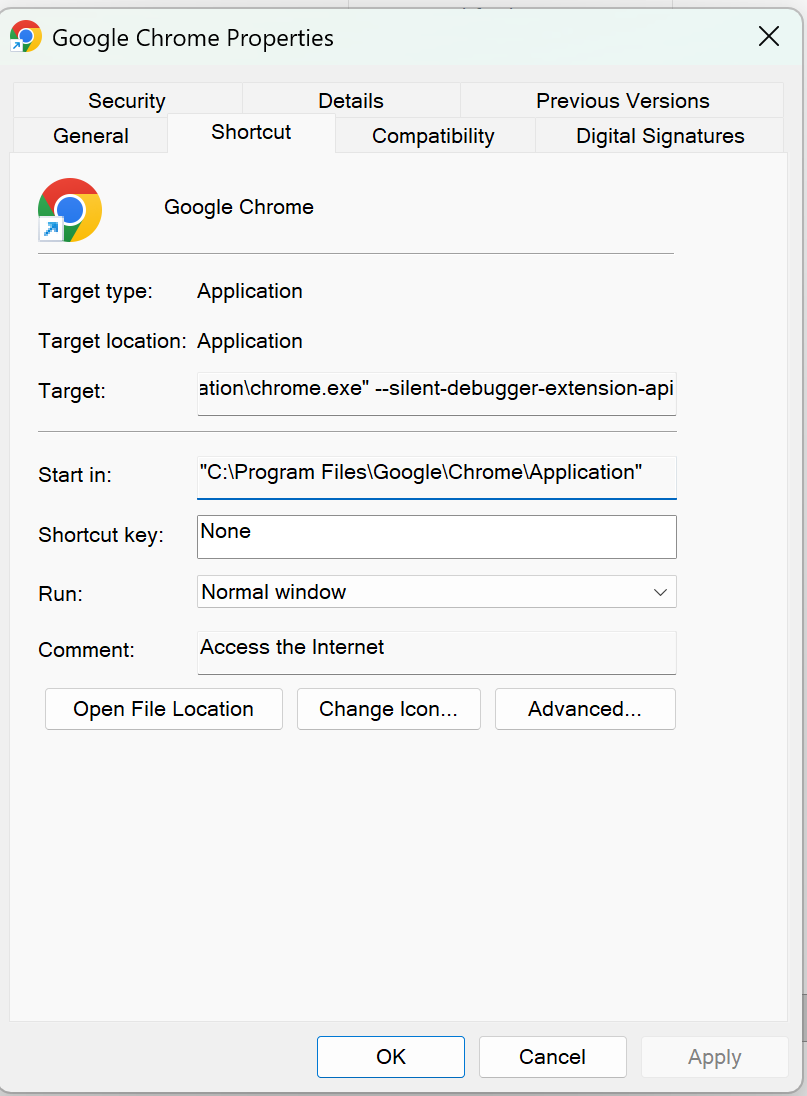
After I altered the Chrome Target field by adding the string “ --silent-debugger-extension-api” I stopped getting the sort of window which said, “Voice In started debugging this browser”. But the command still does not trigger the MacroExpress macro.
